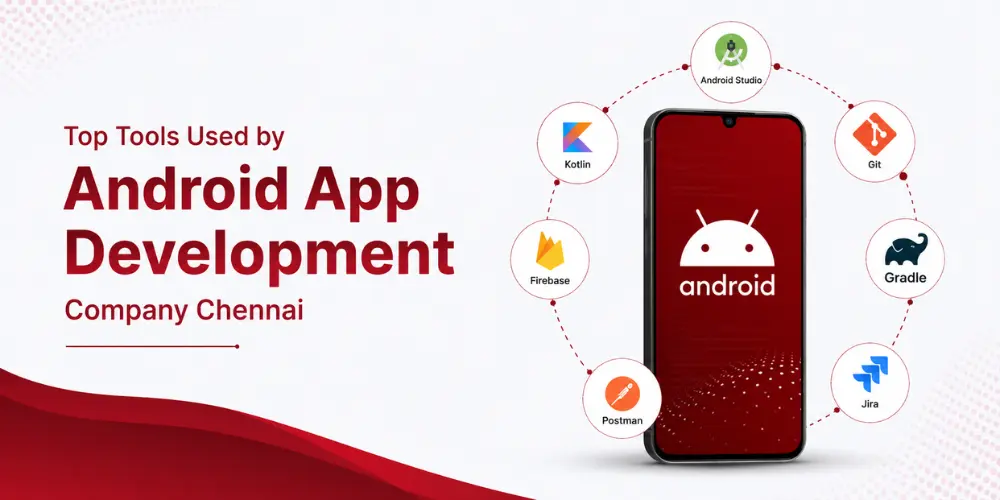
Top Tools Used by Android App Development Company Chennai
Building an Android app that survives real-world use takes more than clean code. It requires having the right ecosystem, the right frameworks and a technology stack that is purposefully selected. It has been able to position itself as a real innovator in the field of mobile technology within the last decade, and the technologies that developers use in Chennai match the very high standards set by the mobile technology industry. In this article, we will talk about those technologies that influence Android development today.
How Android App Developers in Chennai Choose the Right Development Stack
Not all projects require the same tools. First things first, the Android App Developers in Chennai assess how much work will be involved. A particular setup will suffice for a small utility application. One more is required for a complex e-commerce website or a cutting-edge logistics platform that depends on real-time tracking. Due to its simple syntax and the backing from Google, Kotlin has become the primary choice for most new projects. Java continues to ensure compatibility with old programs. Android Studio anchors the process, letting developers write, compile, and preview changes instantly, and scalability shapes these decisions too. A heap that matches a minimum viable product rarely holds up once user numbers climb into the hundreds of thousands. Budget, timeline, and the client’s technical roadmap round out the picture. Get the toolset wrong early, and every subsequent release slows down.

Essential Tools Powering Modern Android Development
A well-built Android app rests on several layers of tooling. Each layer covers a different stage of the process.
- Core Development and Build Tools
Android Studio, built on IntelliJ IDEA, brings the code editor, emulator, and profiler into one workspace. Gradle automates the build itself. It ensures the correct app build on all devices and helps manage dependencies.
- Backend & Networking
Firebase is the modern tool that is used as a backend layer. This layer contains such features as a real-time database, push notifications, crash reporting, and authentication, which do not require the creation of the custom backend layer. Networking is provided through Retrofit & OkHttp. The room sits above SQLite to manage local data storage cleanly. Git and GitHub keep version control in order, so teams can work the same codebase side-by-side without stepping on each other’s changes.
What Sets the Best Android App Development Company in Chennai Apart
Having the appropriate equipment is only half the story. The best Android app development company in Chennai earns that reputation through how it applies them. The productive team integrates Android Studio with Kotlin and performs a thorough code review to make sure that there isn’t a build-up of inefficiencies that could cause problems.The continuous integration process involves using Bitrise and GitHub Actions, among other testing tools. Every change clears verification before it reaches users. A company focused on business outcomes tracks the data behind those outcomes. By displaying how actual users interact with the app, Google Analytics for Firebase transforms speculation into well-supported judgements.
Testing, Debugging, and Performance Tools That Matter
An Android app has no business reaching the Play Store without a rigorous testing phase behind it.
- Automated Testing Tools
Espresso and JUnit allow for the simulation of actual interactions and the debugging of potential issues prior to the release of the application. Manual testing based on guessing is replaced by automated verification.
- Performance Testing
Android Profiler is an in-built tool in Android Studio, which can measure CPU usage, memory consumption, and network usage on-the-fly. Performance problems appear much earlier than with the end-user. Firebase Test Lab extends testing capabilities to many physical and emulated devices in order to detect compatibility issues related to the screen size, hardware specifications, or operating system version. When the application goes live, Firebase Crashlytics provides detailed information about crashes.
- Design and Prototyping Tools for Seamless User Experience
However, all the above features will be meaningless without an intuitive user interface. Figma is the default industry standard that is used to design applications for Android before any coding has taken place. This ensures that developers and designers are able to collaborate on their wireframes, mockups, and visual designs. Adobe XD can act as a competitive platform for developers using the Adobe suite of tools, particularly when the design assets must translate into the web and iOS versions. The Material Design guidelines by Google specify the positioning of buttons, navigation, and typography. Therefore, the app can truly be native to the Android platform and not a copy of another design.
Conclusion
In conclusion, the abovementioned are the tools which are essential for Android App Development Company Chennai professionally. However, tools alone do not make a great application, but rather the skills required to use them do. Businesses based in Chennai or elsewhere who wish to create a great Android footprint should consider partnering with an organisation that is able to use these tools in the right way to ensure optimal performance and growth. Partnering with a team already fluent in this full chain of tools removes much of the risk and guesswork that comes with building software from scratch.